
Introduction to Modern Road Trip Documentation
Why Documenting Road Trips Has Evolved with Smartphone Technology
The way we document road trips has significantly changed thanks to the rapid advancements in smartphone technology. In the past, wanderers lugged around bulky cameras, tripods, and journals to capture their travel memories. Today, our smartphones have become all-in-one tools for documenting adventures effortlessly. They offer high-quality cameras, smart GPS, and countless apps that aid in narrating our journey in real-time.
How Phones Have Replaced Traditional Cameras and Journals
Gone are the days when you’d need a separate camera, notebook, and perhaps even a camcorder to document your travels. Smartphones now boast powerful cameras that can capture stunning photos and videos, rivaling traditional cameras in quality. Journaling apps have replaced handwritten notebooks, offering not just the ability to jot down thoughts but to embed images, videos, and location data seamlessly. Whether it’s capturing the perfect sunset or penning down your thoughts, everything can be done from the convenience of your phone.
Overview of the Creative Documentation Methods We’ll Explore
Throughout this guide, we will dive into various creative ways to document your road trips using your smartphone. From mastering phone photography to capturing engaging videos, we’ll cover it all. We’ll explore apps for digital travel journaling, route tracking, and even creating digital scrapbooks. By the end of this guide, you’ll have a comprehensive understanding of how to turn your road trip into a documented masterpiece without the need for additional gadgets. These methods will not only preserve your memories but will also allow you to share your adventures with friends and family in an engaging and interactive manner.
With the foundations laid, let’s delve into perfecting the art of smartphone photography for your road trips.
Mastering Phone Photography for Road Trips
Tips for Capturing Stunning Landscape Shots with Your Smartphone
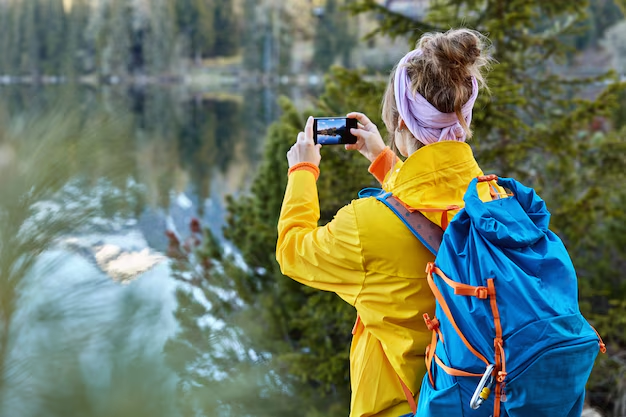
Your smartphone is the ultimate tool for capturing the breathtaking landscapes you encounter on your road trips. To make the most of it, remember these essential tips:
- Golden Hour Glory: Aim to shoot during the golden hours—right after sunrise and just before sunset. The soft lighting can enhance the natural beauty of your surroundings.
- Clean Your Lens: A simple yet often overlooked step. Ensure your lens is clean for clear and sharp images.
- Use Grid Lines: Turn on the grid lines in your camera settings to help frame your shots using the rule of thirds, making your compositions more balanced and interesting.
- Keep It Steady: Use a tripod or lean against solid surfaces to minimize camera shake.
Best Camera Settings and Modes for Different Road Trip Scenarios
Unlocking the full potential of your smartphone’s camera can be the difference between an average photo and a stunning one. Here’s how to adjust settings for different scenarios:
- Landscape Mode for Vistas: Switch to landscape mode to capture expansive views. Phones like the iPhone and many Android devices automatically engage HDR (High Dynamic Range) to balance light and dark areas.
- Portrait Mode for Unique Details: Use portrait mode to focus on specific objects within the landscape, like a solitary tree or an interesting rock formation.
- Night Mode for After Hours: For stunning shots after dark, switch to night mode. This setting uses a longer exposure to gather more light, which is perfect for capturing the night sky or cityscapes illuminated by streetlights.
Creative Composition Techniques for Memorable Travel Photos
The real magic in photography often lies in how you frame your shots. Here are some creative composition techniques to try:
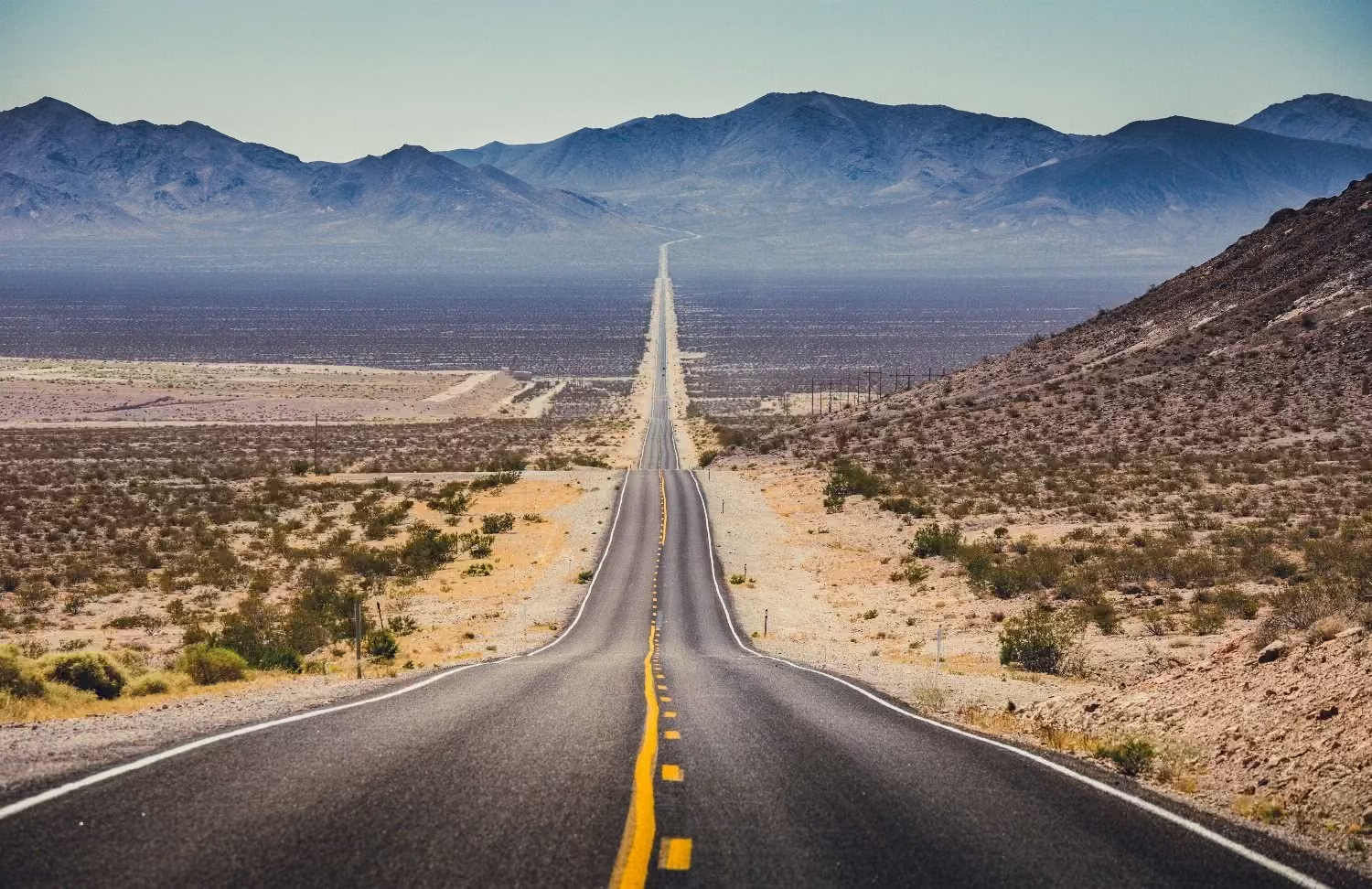
- Lead-In Lines: Use natural or man-made lines (like roads, fences, or rivers) to draw the viewer’s eye into the scene.
- Framing: Look for natural frames within the scenery, such as archways, branches, or windows, to create a focused viewpoint.
- Foreground Interest: Include interesting objects in the foreground to add depth and context to your photos. This technique is ideal for showcasing the scale of landscapes.
- Change Your Perspective: Experiment with different angles. Get low to the ground or find an elevated spot to offer unique perspectives on familiar scenes.
Mastering these photography techniques ensures that your road trip memories will be captured in stunning detail, ready to be shared and cherished.
Creating Engaging Road Trip Videos
Essential Tips for Shooting Stable Footage While Traveling
Capturing stable footage can be challenging on a road trip, especially with all the bumps and turns. Here are some essential tips to help you shoot steady videos:
- Use a Gimbal or Stabilizer: These tools can significantly reduce shaky footage and provide smooth, professional-looking videos.
- Keep Your Elbows Tight: Tucking your elbows into your body while holding your phone can reduce camera shake.
- Leverage In-App Stabilization: Many smartphones have built-in video stabilization settings that can help steady your shots.
Time-Lapse and Slow-Motion Techniques for Dramatic Effects
Utilizing time-lapse and slow-motion can add a dramatic flair to your road trip videos. Here’s how to make the most of these features:
- Time-Lapse: Perfect for capturing long drives, sunrises, or bustling cityscapes. To create a striking time-lapse:
- Choose a fixed position to set up your phone.
- Make sure your phone is secure to avoid movement.
- Use your phone’s built-in time-lapse mode or dedicated apps like Lapse It.
- Slow-Motion: Ideal for highlighting memorable moments like splashes or close-up scenery. Tips for effective slow-motion:
- Use the highest frame rate available on your phone for smoother slow-motion.
- Slow-motion works best in bright lighting to prevent flickering.
Basic Editing Apps to Transform Raw Footage into Compelling Stories
Editing your footage can transform raw videos into engaging stories. Here are some user-friendly editing apps to consider:
- iMovie (iOS): An intuitive app that allows you to cut, trim, and add music and effects seamlessly.
- Adobe Premiere Rush: Available on both iOS and Android, this app offers more advanced editing features and templates.
- KineMaster: A versatile app that provides multi-layer editing, transitions, and a robust set of tools to enhance your video.
As we transition from photography to videography, it’s clear that capturing and editing videos can be just as rewarding and creative. By utilizing these tips and techniques, you can create stunning visual stories of your road trip adventures.
Digital Travel Journaling Apps
Popular Apps for Documenting Thoughts and Experiences
Documenting your road trip memories has never been easier thanks to a variety of digital travel journaling apps available on your smartphone. These applications allow you to capture your experiences in real-time, combining text, photos, and location data seamlessly. Here are some popular apps:
- Day One: This well-loved journaling app offers an intuitive interface and supports text, photos, and GPS data. With its organizational capabilities, you can categorize entries by tags and maintain a neat journal without any hassle.
- Journey: A great app for travelers, Journey allows you to document your journey with rich text, printable photos, and even your location. It also provides insights, such as mood tracking, to understand your emotional journey.
- Penzu: Penzu provides a more traditional diary experience with digital perks. It’s perfect for those who appreciate a straightforward journaling app that supports text and photo attachments.
How to Combine Text, Photos, and Location Data in Your Journal
Creating a rich digital journal involves more than just jotting down notes. Here’s how you can combine various elements for a more immersive documentation:
- Text: Write detailed accounts of your experiences, capturing your thoughts, emotions, and observations. Be specific about circumstances, such as the weather, the ambiance, and local culture.
- Photos: Add photos to illustrate your entries. This adds a visual dimension to your text and helps you remember specific moments vividly. Choose images that best represent your experiences.
- Location Data: Enable the location services in your journaling app to automatically tag your entries with your GPS coordinates. This feature allows you to plot your journey on a map and see a comprehensive view of your route.
Best Practices for Maintaining a Consistent Journaling Routine
Consistency is key to creating a thorough travel journal. Here are some best practices:
- Set a Schedule: Decide on a time to reflect and write. Some prefer morning reflections, while others find evenings more conducive. Stick to what works best for you.
- Make it a Habit: Connect journaling to an existing habit, like enjoying your morning coffee or winding down before bed. This makes it easier to remember.
- Keep it Simple: Don’t overwhelm yourself with lengthy entries. Sometimes a couple of sentences and a photo can be just as powerful as a detailed page.
- Stay Authentic: Write honestly. Your journal is for you, so don’t stress about perfection. Let your experiences flow naturally onto the page.
By choosing the right app and integrating text, photos, and location data effectively, you can create a digital travel journal that captures the essence of your road trip. Maintaining a consistent journaling routine ensures you don’t miss out on recording any part of your adventure.
Route Tracking and Location Sharing
Apps that Record Your Travel Route Automatically
Modern road trips offer the convenience of technology to keep track of your journey without lifting a finger. Several route-tracking apps automatically record your travel route, providing a seamless way to document your road trip visually. Polarsteps and Roadtrippers are great options, each with unique features to enhance your travel documentation.
- Polarsteps: Automatically track your route and significant stops with minimal battery drain. Polarsteps works offline, recording your path and syncing when back online. This app is perfect for creating a visual route of your adventure.
- Roadtrippers: Ideal for detailed planning and tracking, Roadtrippers helps you discover attractions, plan routes, and track your journey in real-time.
How to Share Your Journey with Friends and Family in Real-Time
Keeping loved ones updated on your road trip in real-time can add an extra layer of fun and safety to your journey. Apps like Life360 and Google Maps provide features for real-time location sharing, ensuring your friends and family stay connected to your travels.
- Life360: Beyond just route tracking, Life360 allows real-time sharing of your exact location, making it an excellent choice for keeping family members informed.
- Google Maps: Share your trip progress using the ‘Share Location’ feature. This option is useful for longer road trips as it allows adjustable time frames for location sharing.
Creating Interactive Maps of Your Adventure
Interactive maps transform your road trip documentation into engaging, dynamic presentations. They combine photos, text, and route information into a shareable format that offers a vivid retelling of your journey.
- My Maps by Google: Create custom maps by adding pins for stops, uploading photos, and annotating your experiences. Great for personal use and sharing with friends and family.
- Map My Trip: A dedicated app for travelers that combines GPS data with media, giving you an interactive map of your entire trip.
These tools ensure your road trip memories are not just static images but dynamic stories that capture the essence of your adventure. Looking ahead, we’ll delve into ways to share your travel narrative across social media platforms effectively.
Social Media Documentation Strategies
Tips for Creating Engaging Social Media Stories
Creating compelling social media stories is an art that blends creativity, spontaneity, and thoughtful curation. Here are some tips to craft stories that resonate with your audience:
- Story Structure: Like any good story, your social media posts should have a beginning, middle, and end. Start with a captivating opening shot, follow with engaging content, and end with a satisfying closure.
- Authenticity: Audiences appreciate genuine content. Share your true feelings, spontaneous moments, and real-time experiences to create relatable, engaging posts.
- Visual Appeal: Use vibrant colors, symmetry, and unique perspectives to make your content visually stunning. Tools like Instagram’s built-in filters and VSCO can enhance your images.
- Consistency: Maintain a consistent aesthetic across your posts. Use similar color palettes, fonts, and themes to build a recognizable brand for your road trip.
How to Maintain a Cohesive Travel Narrative Across Platforms
Ensuring your travel narrative flows seamlessly across different social media platforms can be challenging, but it’s crucial for engaging your audience. Here are some strategies:
- Unified Theme: Keep your content aligned with a central theme or story. Whether it’s road trip adventures, food discoveries, or cultural insights, a unified theme helps maintain narrative cohesion.
- Cross-Platform Posting: Use tools like Hootsuite or Buffer to schedule and sync your posts across various platforms. This ensures timely sharing and consistency in your narrative.
- Platform-Specific Content: Tailor your content to suit the unique features of each platform. Instagram Stories might focus on short, immediate updates, while a Facebook post could be more detailed.
Balancing Real-Time Sharing with Being Present in the Moment
Documenting your journey while truly enjoying it is a delicate balance. Here’s how to manage both:
- Plan Your Posts: Dedicate specific times of the day for documenting and posting. This way, you’re not constantly on your phone and can enjoy the scenery and experiences.
- Use Automation Tools: Apps like IFTTT or Later can automate your posting schedule, allowing you to share your journey without being glued to your screen.
- Limit Online Time: Set boundaries for your social media usage. Spend dedicated moments to unplug and immerse in your surroundings.
Next, as we dive into creating digital scrapbooks and photo books, we’ll learn how to preserve and present your road trip memories in timeless, artistic formats.
Digital Scrapbooking and Photo Books
Documenting road trips has never been more exciting thanks to the digital tools at our fingertips. Creating digital scrapbooks and photo books is a fantastic way to preserve those precious memories and share them with your loved ones. This chapter will guide you through the process, from selecting the best apps to organizing your photos and designing layouts that tell your unique travel story.
Apps for Creating Digital Photo Albums and Scrapbooks
There are numerous apps designed to help you create beautiful digital photo albums and scrapbooks. Here are a few popular choices:
- Shutterfly: Offers a user-friendly interface and various design options. Perfect for both novice and experienced scrapbookers.
- Mixbook: Known for its customizable templates and high-quality prints. Ideal for those who want more control over their designs.
- Project Life: Great for quick and easy scrapbooking on the go. Focuses on simplicity and convenience.
- Scrapbook Crafter: Provides a wide range of stickers, backgrounds, and fonts to make your scrapbook unique.
These apps make it simple to compile your road trip photos into a stunning digital keepsake.
Organizing and Selecting the Best Photos for Your Collection
Before diving into the creative process, it’s essential to organize your photos. Here are some tips:
- Create folders by event or date: This helps keep your photos organized and makes it easier to find specific moments.
- Use cloud storage: Store your photos in platforms like Google Photos or iCloud to back up your memories and access them anywhere.
- Select your favorites: Choose the best images that capture the essence of your trip. Focus on quality over quantity to avoid overwhelming your audience.
By organizing your photos effectively, you’ll have a solid foundation for creating your scrapbook or photo book.
Tips for Designing Layouts That Tell Your Travel Story
Designing your scrapbook or photo book layouts can be a fun and creative process. Here are some tips to help you craft a narrative that brings your road trip to life:
- Start with a cover page: Use this to set the theme and tone of your scrapbook. Include a favorite photo and the name of your trip.
- Create a chronological flow: Arrange your photos in the order they were taken to tell a natural and cohesive story.
- Mix different elements: Combine full-page photos with smaller images, text, and decorative elements like stickers and frames. This adds variety and keeps the viewer engaged.
- Highlight special moments: Dedicate entire pages to significant events or breathtaking landscapes to make them stand out.
- Include captions and anecdotes: Add short descriptions, quotes, or stories that provide context and add a personal touch.
By focusing on these design techniques, you can create a scrapbook or photo book that vividly captures your road trip adventures.
As you document your journey through digital scrapbooking and photo books, remember that these creations not only preserve your memories but also provide a wonderful way to revisit and share your adventures for years to come.
Travel Planning and Organization Apps
Using TripIt and Similar Apps to Organize Your Itinerary
Planning a road trip can be overwhelming, but with the right apps, you can streamline your itinerary and ensure you don’t miss a thing. TripIt is a fantastic app that consolidates all your travel information into one place, creating a master itinerary for your journey. It’s as simple as forwarding your confirmation emails for flights, hotels, and car rentals to the app, which then organizes the details for you.
Other similar apps like Roadtrippers and Google Trips offer additional features such as discovering new attractions and planning routes. Roadtrippers, for instance, allows you to plot your journey while highlighting points of interest along the way, such as landmarks, scenic viewpoints, and unique dining spots.
Keeping Track of Memorable Locations and Points of Interest
While you’re on the road, it’s just as important to keep track of the remarkable places you visit. Apps like Google Maps and Mapstr enable you to tag locations on the go. Google Maps’ “Your Places” feature allows you to save addresses and categorize them into lists such as “Want to go” or “Favorites.”
Mapstr, on the other hand, offers a more personalized approach by letting you add tags, notes, and photos to each location, creating a detailed map of your journey. This way, you can easily revisit your favorite spots or share them with friends.
Integrating Planning Apps with Your Documentation Strategy
Now that you’ve got your itinerary and locations sorted, it’s crucial to integrate this information into your broader documentation strategy. Syncing your travel planning apps with journaling apps like Day One or Journey ensures that your experiences are captured holistically. These journaling apps allow you to import location data, travel routes, and photos directly from your planning apps, creating a seamless link between your itinerary and your documented memories.
For instance, you can use Roadtrippers to plan your stops and then import these locations into Day One to chronicle your daily adventures. This not only helps in creating a cohesive travel narrative but also ensures that every aspect of your journey is meticulously documented for future reminiscing.
By making use of these travel planning and organization apps, you can enhance your road trip experience while ensuring that every memorable moment is well-documented and preserved. Enhance your journey with these tools, and embark on a well-organized road trip that you can look back on with fond memories.
Backing Up Your Memories
Cloud Storage Solutions
To safeguard your precious road trip memories, leverage cloud storage solutions. Services like Google Photos, iCloud, and Dropbox offer robust options. They automatically sync your photos and videos, ensuring that your content is safe even if your phone gets damaged or lost. These services often come with free initial storage space, with options to upgrade for more capacity if needed. The convenience of accessing your memories from any device with an internet connection cannot be overstated.
Automated Backup Strategies
Simplify the backup process with automated strategies. Configuring your phone’s settings to enable automatic backups to your chosen cloud service is a good place to start. Many smartphones allow for automatic backup of photos and videos to services such as Google Photos or iCloud. This means each time you connect to Wi-Fi, your latest content is safely uploaded without any manual intervention required. Automating this essential task guarantees that you never forget to protect your data.
Organizing Your Digital Memories
Once your memories are securely backed up, organization becomes key. Utilize folders and albums within your cloud storage to categorize your content by date, location, or event. This systematic approach makes it easier to locate specific memories later on. Most cloud services allow you to tag photos and videos with metadata, providing additional layers of searchability. Organizing your content not only streamlines access but also enhances the overall experience of reliving your road trips.
With a solid strategy in place for backing up and organizing your road trip content, you can rest assured that your precious memories are well-preserved and easily accessible.
Putting It All Together
Creating a Comprehensive Documentation Strategy
Combining various documentation methods can truly transform your road trip memories into a multifaceted experience. To start, identify your primary goal: is it to create a beautiful digital scrapbook, keep a travel journal, share real-time updates with friends and family, or produce engaging social media content? Recognizing this will guide your focus and ensure consistency in your documentation.
It’s important to plan ahead. As you embark on your journey, integrate the various tools and methods you’ve explored:
- Photography: Use dedicated times for capturing stunning landscape shots, and ensure your camera settings are optimized for different scenarios.
- Videography: Allocate moments to create time-lapse videos or slow-motion clips to capture dramatic effects.
- Journaling: Set daily reminders to jot down your thoughts, experiences, and integrate relevant photos and location data.
- Social Sharing: Mark key moments to share on social media, creating a cohesive travel narrative without feeling overwhelmed.
Balancing Different Documentation Methods During Your Trip
Juggling multiple documentation techniques can be challenging yet rewarding. Here are some tips to help you balance it all effortlessly:
- Establish Routines: Create a daily routine that includes time for journaling, photography, and video recording. It can be as simple as morning and evening sessions dedicated to documentation.
- Use Shortcuts: Employ automation tools to make the process smoother. For instance, auto-saving your photos and videos to cloud storage can save time and reduce worry about data loss.
- Stay Flexible: While routines are helpful, be ready to adapt based on unexpected moments and spontaneous activities. Sometimes the best memories are captured unplanned.
- Prioritize Enjoyment: Don’t let the act of documentation overshadow the experience. Enjoy your journey first; the best photos, videos, and journal entries often come naturally when you’re fully immersed in the moment.
Tips for Maintaining Your Digital Travel Archive After the Journey
Once your journey is over, organizing and maintaining your digital archive is essential for preserving those cherished memories:
- Organize Files: Create a structured folder system, categorizing by date, location, and type (photos, videos, journal entries).
- Back Up Regularly: Utilize cloud storage solutions like Google Photos, iCloud, or Dropbox for backups. Automate these backups to ensure no data is lost.
- Edit and Curate: Spend some time post-trip to sift through your documentation. Edit and curate the best content to highlight the most memorable parts of your journey.
- Create Final Products: Whether it’s a polished travel video, a digital scrapbook, or a detailed journal, transform your raw documentation into finished products that can be easily shared and revisited.
Your comprehensive documentation strategy doesn’t end with the trip. By maintaining and organizing your digital travel archive, you ensure that your road trip memories continue to bring joy for years to come.



